iPhone・iPad・Android の工事写真

黒板を持たずに、黒板つきの写真。
撮った順に、台帳まで。

工事名・工種・測点・日付・施工者・略図の黒板を、写真の上に見ながら撮ります。写真は「撮影日時_工種_測点_連番」の名前で保存するので、パソコンに取りこんでも撮った順に並びます。期間や工種で絞って、A4 縦に 3 枚ずつの写真台帳の PDF に。

App Store・Google Play で配信予定

公共工事の電子小黒板(改ざん検知・信憑性の確認)には対応していません。民間工事・リフォーム・点検・社内の記録向けです。買い切りで全部の機能が使え、アプリ内課金・サブスクリプション・広告はありません。
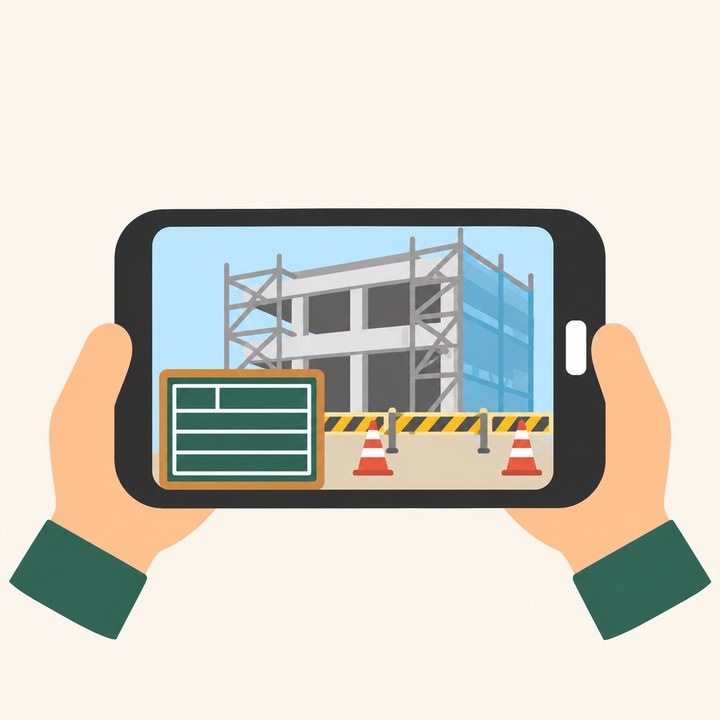
スマートフォンの画面の写真に黒板が乗っているイラスト

こんな困りごとのために

パソコンで順番がばらばら

撮影日時から始まる名前で保存するので、名前の順がそのまま撮った順です。

ボタンが小さくて押し間違える

手袋でも押せる大きさのボタン。[撮る]はいつも同じ場所です。

ライブラリの写真に黒板を入れたい

「あとから黒板」で、撮ったあとの写真にも黒板を入れられます。撮影日時は写真の日時を使います。

黒板の項目と並び

項目・大きさ・色(緑・白・黒)・向きを自分で決めて、現場ごとに使い分けられます。

暗い場所

撮る画面でライトを点けられます。

毎回同じ工種を入れる

工種と測点は前の値と候補から。黒板は指で動かして、大きさも変えられます。

できること

撮る黒板つきの撮影・ライト・前の工種と測点を既定に・黒板を動かす/大きさを変える
あとから写真のライブラリから選んで黒板を入れる
台帳A4 縦に 3 枚(左に写真・右に黒板の項目と備考)・期間と工種で絞る・共有・印刷
データ現場と写真の項目は iCloud Drive の毎日の控え・アカウントなし・解析と広告なし・位置情報は使わない

使い方・プライバシーポリシー・利用規約もご覧ください。

Site photos for iPhone, iPad and Android

Board photos without carrying a board.
In shooting order, all the way to the ledger.

See the job board (project, work type, station, date, contractor, sketch) on the photo as you shoot. Photos are saved as "date-time_worktype_station_number", so they sort in shooting order on a computer. Filter by period or work type and make an A4 portrait photo ledger PDF with three photos per page.

Coming to the App Store and Google Play

Does not support Japan's electronic small blackboards for public works (tamper detection and authenticity checks). For private construction, renovation, inspections and internal records. One purchase unlocks everything; no in-app purchases, subscriptions or ads.

Illustration of a job board over a photo on a phone screen

Made for these problems

Out of order on a computer

File names start with the shooting date and time, so name order is shooting order.

Small buttons, wrong taps

Buttons big enough for gloves, and Shoot is always in the same place.

Boards on library photos

"Add a board later" puts a board on photos you already took, using the photo's own date and time.

Board fields and layout

Choose fields, size, color (green, white, black) and orientation, and use different layouts per site.

Dark places

Turn on the flashlight from the Shoot screen.

Typing the same work type

Work type and station start from your last values and suggestions. Drag and resize the board with your finger.

What it does

ShootPhotos with the board, flashlight, last work type and station as defaults, drag and resize the board
LaterPick photos from your library and add a board
LedgerA4 portrait, three per page (photo on the left, board fields and notes on the right), filter by period and work type, share and print
DataDaily iCloud Drive backups of sites and photo details, no account, no analytics or ads, no location

See also Help, Privacy Policy and Terms of Use.